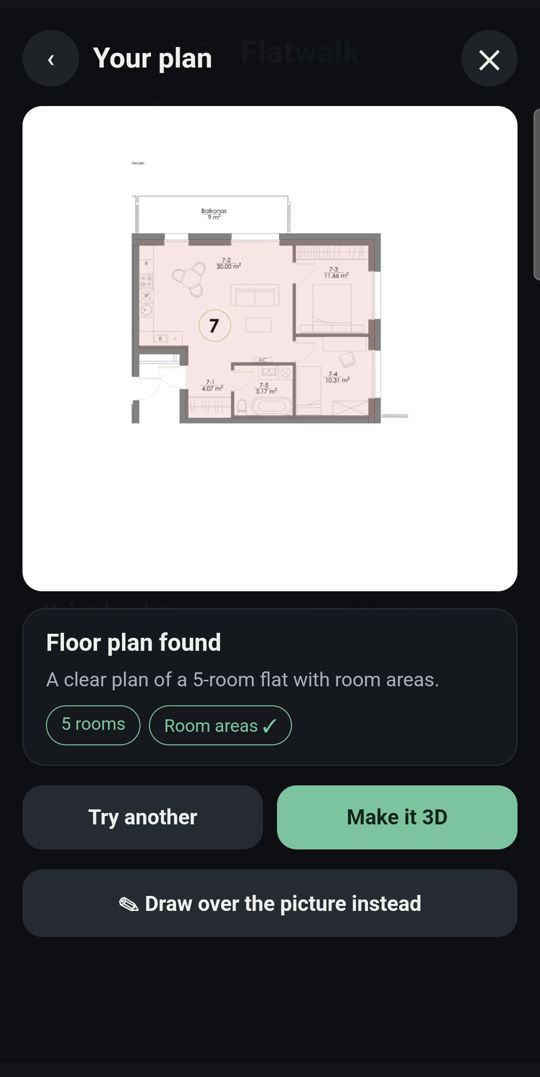
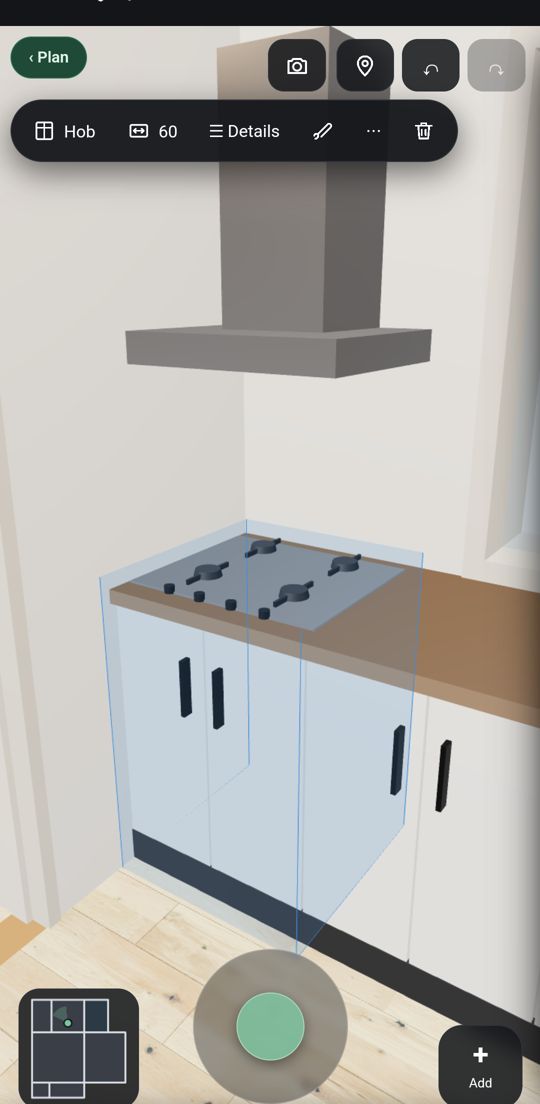
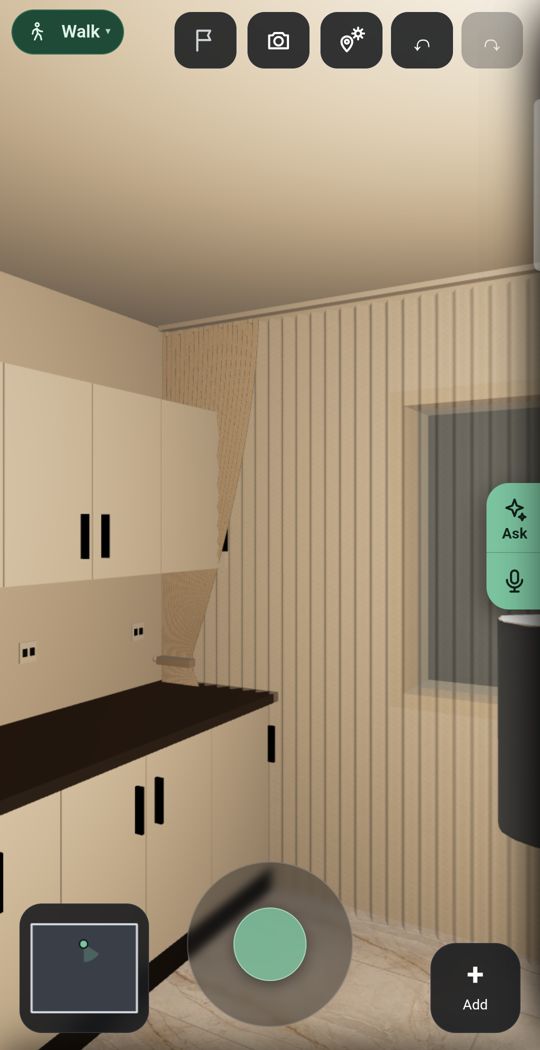
Short answer. For a big catalogue and polished pictures: Planner 5D, Home Planner AI or Homestyler. For a precise plan with no subscription: Floor Plan Creator. A full program you can buy once: Live Home 3D. Measuring homes for work: magicplan. IKEA furniture in a photo of your room: the IKEA app's Kreativ. And Flatwalk, the newcomer, plans one whole flat free on an Android phone: scan it without a depth sensor, furnish it with real shop pieces, add lights, see the sun for your address and walk through it.
Flatwalk vs Planner 5DFlatwalk vs Room PlannerPlanner 5D alternatives in 2026
The eight at a glance
| App | Best for | Free | Paid, as listed | Google Play (UK) |
|---|---|---|---|---|
| Flatwalk | Planning your own flat in detail, on the phone, without paying | One whole flat: every ordinary tool, and one try of each AI tool | One membership with more flats and more AI | New: join the waiting list |
| Planner 5D | A big catalogue, on every device | Half the furniture catalogue, no time limit | Premium $19.99 a month or $59.99 a year; Professional $49.99 a month or $399.99 a year | 4.4 stars, about 588,000 reviews |
| Home Planner AI (formerly Room Planner) | Branded furniture and AI redesigns | 10 designs, 1,000 catalogue items, up to 4 AI redesigns | PRO €74.99 a year or €14.99 a month; PRO+ €219.99 a year | 3.8 stars, about 241,000 reviews |
| Homestyler | Free rendered pictures | Unlimited 1K renders | Pro+ from $6.8 a month; Master+ from $11.8 a month | 3.5 stars, about 91,300 reviews |
| Floor Plan Creator | Precise floor plans, paid once | Unlimited projects and floors, with ads | Basic $4.99 or Full $7.99, paid once in the app | 4.1 stars, about 133,000 reviews |
| Live Home 3D | A full home design program you can buy once | Up to 2 storeys, exports with a watermark | Standard $19.99 a year or $59.99 once; Pro $39.99 a year or $129.99 once | 4.2 stars, about 2,400 reviews |
| magicplan | Professionals measuring homes | 2 free projects to start | Per project, from €14 a project on its site (10 a month, 24-month plan) | 4.3 stars, about 128,000 reviews |
| IKEA app (IKEA Kreativ) | Trying IKEA furniture in a photo of your room | Free, its GB help page says | Nothing; it sells furniture | 4.6 stars, about 263,000 reviews |
Prices are as each app's own pricing page showed them on 20 October 2026, in the currency it showed. They vary by country and by app store.
1. Flatwalk: one whole flat, in detail, free
Built for the phone: photograph, draw or scan your plan by tapping corners (no depth sensor), walk it at eye level, furnish it with real shop pieces at true size on one shopping list, and add lights, the sun for your address and your street in 3D. One flat costs nothing; each AI tool gives one free try. Weaker on: devices (Android only for now), catalogue size and track record.
2. Planner 5D: the big one, on every device
Web, iPhone, Android, Mac and Windows, with half its large catalogue free and no time limit; its Android page says you can scan your room. Watch for: its pricing page puts AI floor plan recognition under Premium and the 360° walkthrough under Professional.
3. Home Planner AI, formerly Room Planner: branded furniture and AI redesigns
Over 560,000 branded items, its site says, AI redesigns, and a free plan it calls "free forever". Watch for: AI floor plan recognition is under PRO, and editing a scanned room needs PRO.
4. Homestyler: free renders
Web, iPhone and Android, a very large branded library, unlimited free 1K renders and an AR room scan on Google Play. Watch for: larger renders and videos cost coins, and its walkthroughs are panoramas and videos, not a live walk at eye level.
5. Floor Plan Creator: precise plans, paid once
Android-first, also in a browser: unlimited free projects and floors, a 3D view and "3D tour mode", Bluetooth laser meters, and upgrades paid once. Watch for: ads in the free version, and PDF-to-scale and DXF exports are paid.
6. Live Home 3D: a full program you can buy once
Android, iPhone, Mac and Windows with a lifetime licence option, a virtual walk, and a location, date and time for the sun, its Android page says. Watch for: Android 12 or newer with 4 GB of memory, and the free version allows 2 storeys and marks exports.
7. magicplan: for professionals
Built, in its words, for remodelers, restoration and claims professionals: plans, reports, estimates, PDF and DXF. Watch for: its help centre says Android lacks LiDAR for its scan features, and it is priced per project.
8. IKEA app with IKEA Kreativ: free, for IKEA furniture
A free virtual room designer, its GB help page says, in the IKEA app or on IKEA.com: erase your furniture in a photo and add IKEA pieces. Watch for: IKEA's range only, LiDAR for the full room scan, and planners that work one room or product at a time.
Not on the list
RoomSketcher makes very good professional plans, but its pages say the app runs on Windows computers, iPads and Android tablets, not phones.
How to pick
- One real flat, no subscription: Flatwalk.
- Biggest catalogue on every device: Planner 5D or Home Planner AI.
- Free pictures: Homestyler. Pay once for a precise plan: Floor Plan Creator or Live Home 3D.
- Measuring homes for work: magicplan. Buying IKEA: the IKEA app.
- Scanning on an ordinary Android phone: Flatwalk, Planner 5D, Home Planner AI or Homestyler, as their pages describe; magicplan's help centre says its scans need LiDAR.
What Flatwalk does that older planners skip
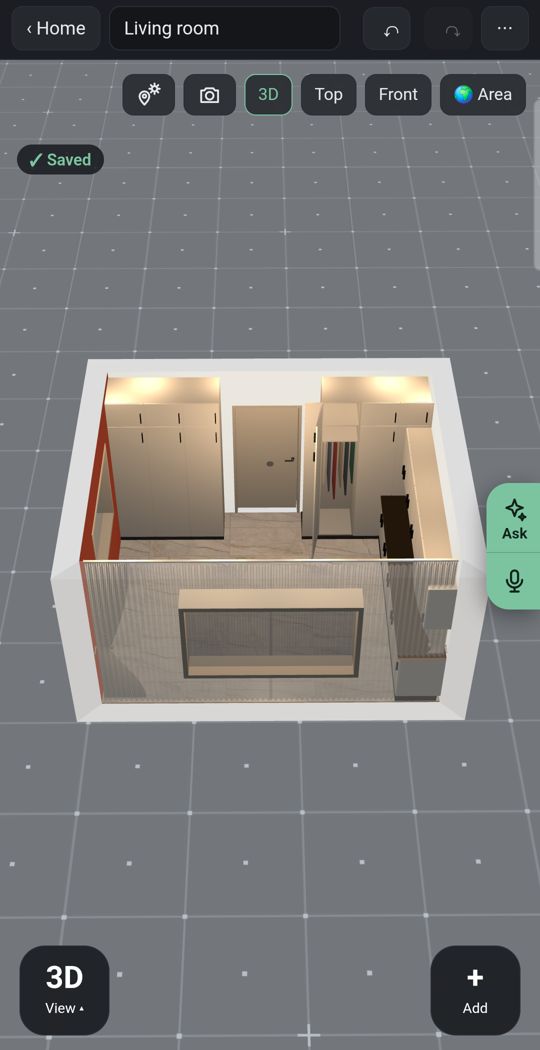
Lights
Add ceiling lights, lamps and LED strips and see the room lit, not only furnished.
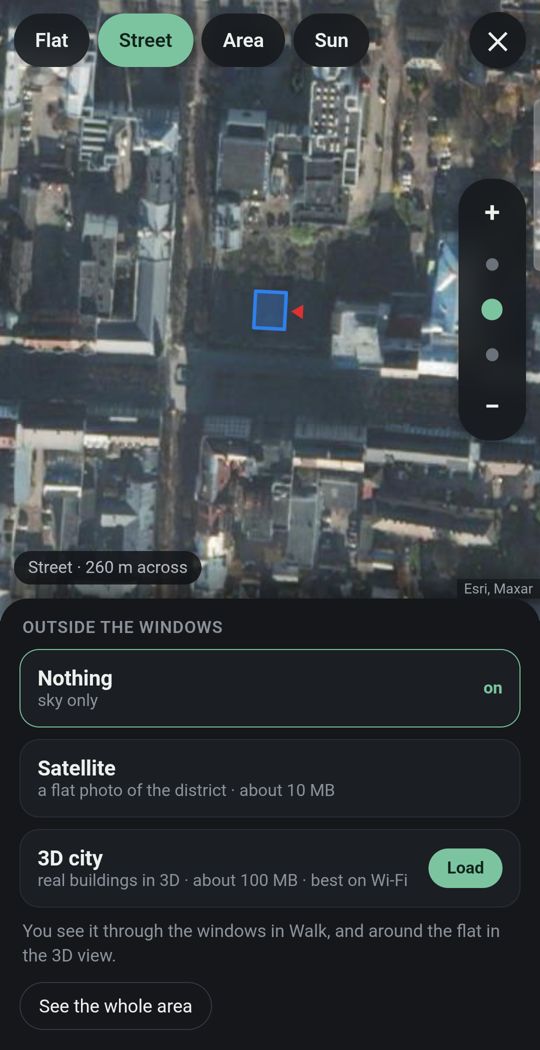
Your flat in its city
Give the address and the street and buildings around you appear in 3D where the map has them, so you see what is outside each window.
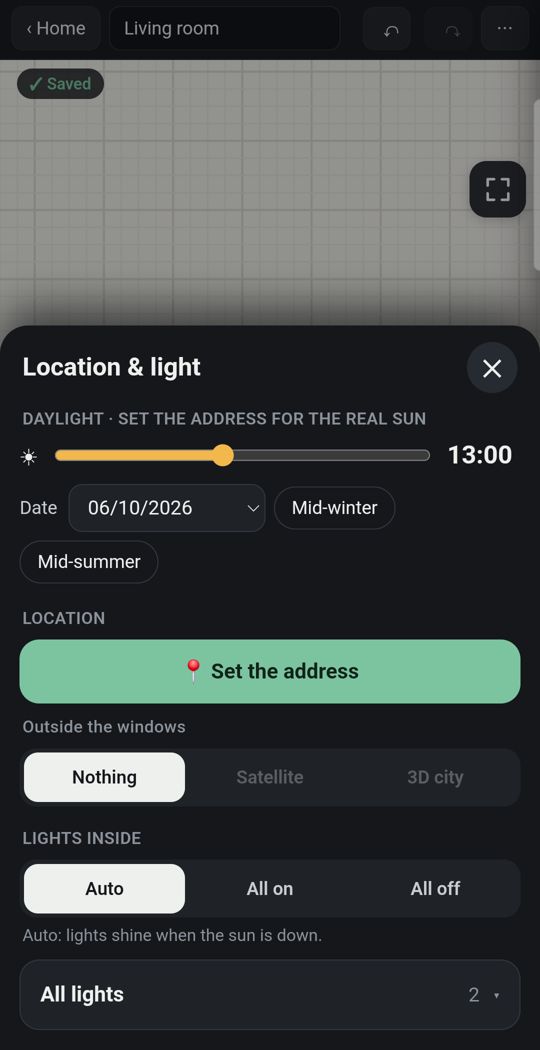
Sun for your address
The light falls where it really falls, by date and hour.
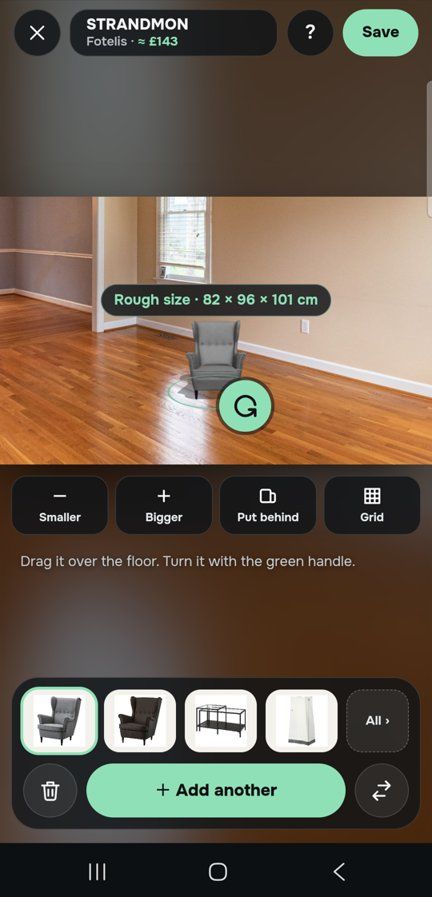
One piece, in your own room
Through the live camera or in a photo of the room, stand a sofa on your own floor at its true size before you buy it.
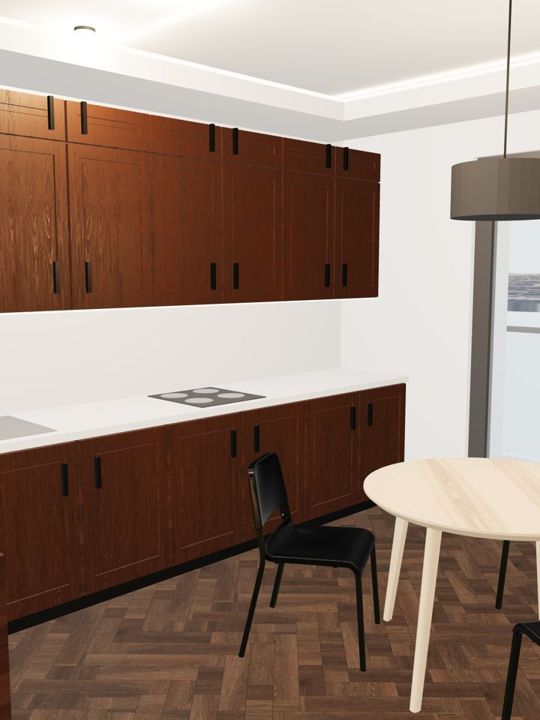
Detail
Dozens of door and window types, and kitchens, wardrobes and bathrooms built piece by piece, with real floors, tiles and paints.
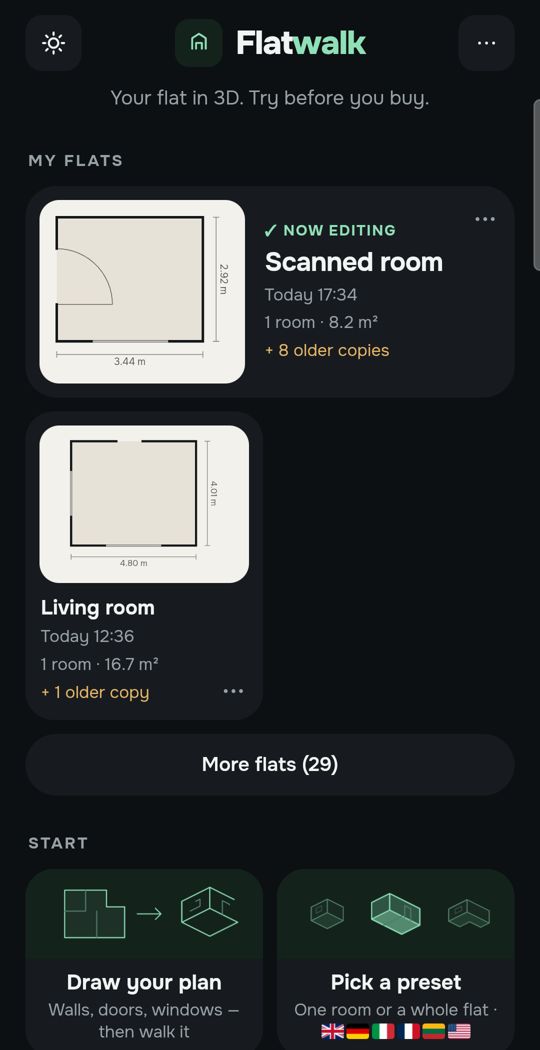
Made for a thumb
Tap a wall, a door or a sofa and the choices for that thing appear. Nothing is hidden in a desktop menu squeezed onto a phone.
Swipe for more. Every picture is the app itself.
One flat, free
Most people plan one home. For that, Flatwalk costs nothing: no trial clock and no card. Draw the plan or scan the rooms, measure, furnish, set the lights and the sun, and walk through it. Each AI tool gives one free try: a flat from a photo of your floor plan, an AI photo of a room, a piece of furniture made from a shop link. A membership is for people who want more flats or more AI, and it bundles all of it in one price.
Questions people ask
What is the best free room planner app for Android? It depends on the job. For one whole flat with walking, lights and sun, Flatwalk is free. For free rendered pictures, Homestyler. For a precise floor plan with ads, Floor Plan Creator. For IKEA furniture in a photo of your room, the IKEA app's Kreativ.
Can I scan a room on Android without LiDAR? Yes, with some apps. Flatwalk measures a room by its corners through the camera, and Planner 5D, Home Planner AI and Homestyler describe camera or AR room scans on their pages. magicplan's help centre says its scan features are not supported on Android.
Which Android planner lets me walk through my home in 3D? Flatwalk makes walking at eye level the main way of looking at your flat, free. Floor Plan Creator has a 3D tour mode, Live Home 3D a virtual walk, and Planner 5D lists its 360° walkthrough under Professional.
Is there a room planner for Android with no subscription? Floor Plan Creator's Android upgrades are paid once, and Live Home 3D sells a lifetime licence. Flatwalk is free for one flat.
Is Flatwalk on Google Play? Not yet. It is launching on Google Play; you can join the waiting list now.
Flatwalk is launching on Google Play. Join the waiting list at flatwalk.app.
Join the waiting list