Short answer. Sun Seeker is a paid phone app that shows the sun's path through your camera, so you can see where the sun will be over the real roofs and trees in front of you. Sun Surveyor does the same with more tools for photographers, and Sun Locator has a free version with ads. They are excellent when you can stand on the spot. When you cannot (a flat on the seventh floor you have only seen online, a flat that is not built yet, or a viewing in October when you want to know about December), a free browser tool that works from the address is the better fit.
Try it free in your browser: type the address, pick the floor and window, see the hours of sun
What a sun seeker or sun direction app does
These apps use your phone's GPS, compass and motion sensors to work out where the sun is and where it will go. The main view is augmented reality (AR): hold the phone up and the camera picture shows the sun's path drawn across the sky, with hours marked, over whatever you are looking at. If the path for December passes behind the block across the street, you see it with your own eyes.
Most also have a flat compass (the sun's direction and height on a dial), a map view with the sun's direction for each hour, and sunrise, sunset and golden hour times.
Three popular apps, from their own store pages
| App | Price (US stores, 22 Oct 2026) | AR camera view | Map | Other strengths named on its page |
|---|---|---|---|---|
| Sun Seeker (Ajnaware) | iPhone 11.99 USD; Android 8.99 USD | Yes, sun path with hourly points | Yes, sun direction for each hour | Solstice and equinox paths, notifications, widget, Apple Watch app; names real estate buyers as users |
| Sun Surveyor (Adam Ratana) | 9.99 USD on iPhone and Android | Yes ("Live Camera View") | Yes, with Street View | Moon and Milky Way, shadow lengths, obstructions, offline use, widgets |
| Sun Locator (GeneWarrior) | Free to install, with ads and in-app purchases (Android) | Yes, with a time slider | Yes, with the sun's direction and shadow | Moon phases, golden and blue hour |
| Flatwalk sun tool | Free, in the browser | No (3D view of your building instead) | Satellite map to pick the building | Hours of sun on each window by month, what blocks it, add a planned building |
Prices change and differ by country; check the store before you buy.
Sun Seeker
Sun Seeker calls itself a "comprehensive sun tracker & sun surveyor app". Its Google Play page lists a flat compass view, a 3D AR camera overlay that "shows the sun's current position, its sun path with hourly points marked", and a map view with "solar direction arrows & sun path for each hour of the day". It works for any location on Earth, shows the equinox and solstice paths on the compass and camera views, and can send notifications for sunrise, sunset, golden hour and more. It names photographers, architects, gardeners, drivers and real estate buyers among its users. On iPhone it adds a widget and an Apple Watch app.
Best for: standing in a garden, on a balcony or at a window and seeing exactly where the sun will pass over the skyline in front of you, in summer and winter.
Sun Surveyor
Sun Surveyor is built first for photographers and filmmakers: a Live Camera View, an interactive map with Street View, a 3D compass and a detailed ephemeris, plus the moon and the Milky Way. Its store page also speaks to solar professionals, architects, real estate agents and gardeners, with features to "understand potential shade of surroundings and discover any obstructions" and to work out shadow lengths. Much of it works offline, apart from the map and Street View.
Best for: planning a shot or a site visit in detail, and anyone who also wants the moon.
Sun Locator
Sun Locator's free version on Android shows the sun's and moon's position over the camera picture, with a slider to set the time of day, and a map with the sun's direction and shadow. It contains ads and offers in-app purchases. Like the others, its AR view needs a phone with a compass.
Best for: trying an AR sun app without paying first.
What AR sun apps are really good at
Be fair to them: on the spot, they are hard to beat.
- The real skyline. The camera shows what is actually there today: the neighbour's new extension, the tree that grew, the hill behind. No map is that up to date.
- Anywhere on Earth. They work in a village with no 3D data just as well as in a city.
- Fast. Point, look, done. For a garden, a terrace or a spot for a solar panel they show things a window tool does not measure.
Where they stop
- You have to be there, at that height. The view is only right from where the phone is. Standing on the pavement tells you little about a seventh-floor window, and you may get only 20 minutes inside at a viewing.
- You cannot stand in a flat that is not built yet, or see the block that is planned across the road.
- Compass trouble indoors. All three rely on the phone's compass. Steel in walls, radiators and appliances can throw it off; calibrate it and stand away from metal.
- You read the result by eye. The app draws the path; you judge when it goes behind something and add up the hours yourself, day by day.
A free alternative for a flat you can't visit
Flatwalk's sun tool, Sun at your window, starts from the address instead of the camera. It builds your building and the street around it in 3D from maps, puts your windows on the right floor, and counts the hours of direct sun on each window for any day, with the buildings, trees and hills that block it. It runs in the browser, so there is nothing to install, and it is free.
Use it when you are house hunting from your sofa, comparing two floors, or checking what a planned building would take. Use an AR app when you are standing at the window and want to see the real skyline. They answer the same question from two ends, and they work well together: check online first, then confirm at the viewing.
Check a flat from home, step by step
- Type the address under "See the sun at your window". Suggestions come up while you type.
- Find the building on the satellite map. The one under the pin is green; tap another if it is wrong. Choose A flat ("One floor of this building") and tap its corners on the roof, or A whole house. Set the storeys and your floor.
- Put the windows on the wall. Every outside wall has a tag, such as "South wall · sun side". Tap a wall, then tap where the window is, or drag to draw it. You can add up to 8 windows.
- Tap See my sun. Read the hours of direct sun today, the first and last sun, and the 12 month bars ("Hours a day, by month"). Tap Shortest for December.
- Read "What takes your sun". It names each blocker, such as a building to the south or a tree to the east, with the months and hours.
- Add what is missing. If a block is planned or newly built, tap Something off? and Add a building with its height. A badge shows the change, such as "-1 h 05 today".
- Copy link to keep it, then take an AR app to the viewing to check the real skyline.
Try it free: check the sun at a flat before you visit
More: ShadeMap vs SunCalc vs Shadowmap for the web sun maps, and which floor gets the most sun.
What it cannot tell you
- Modelled, not measured. The hours are worked out from maps and the sun's position, not from a light meter or a camera at the window.
- Where the data is best. Building heights are measured in London, Manchester, Cardiff, Edinburgh, Glasgow, Berlin, Munich, Hamburg, Warsaw, Kraków, Wrocław, New York City, Chicago, Toronto, Vancouver and Montreal. Elsewhere heights are estimated, and the tool says so; outside the areas it covers in the UK, Germany, Poland, Lithuania, the US and Canada it is slower and treats the ground as flat.
- New buildings and trees. Buildings finished after the map data, and trees planted or cut since about 2017 to 2019, are missing or wrong until you fix them. This is where an AR app on the spot wins.
- Weather. Typical weather is a monthly average from 2005 to 2023, not a forecast, and can be about 10 to 15% off for a window.
- Windows only. It does not measure a garden lawn, a terrace floor or a roof for solar panels.
- Not a certified report. It cannot stand in for a professional sunlight survey.
- Small things it ignores: window frames, glass tint and your own roof shape. Map outlines can be a metre off the real wall.
What Flatwalk does that older planners skip
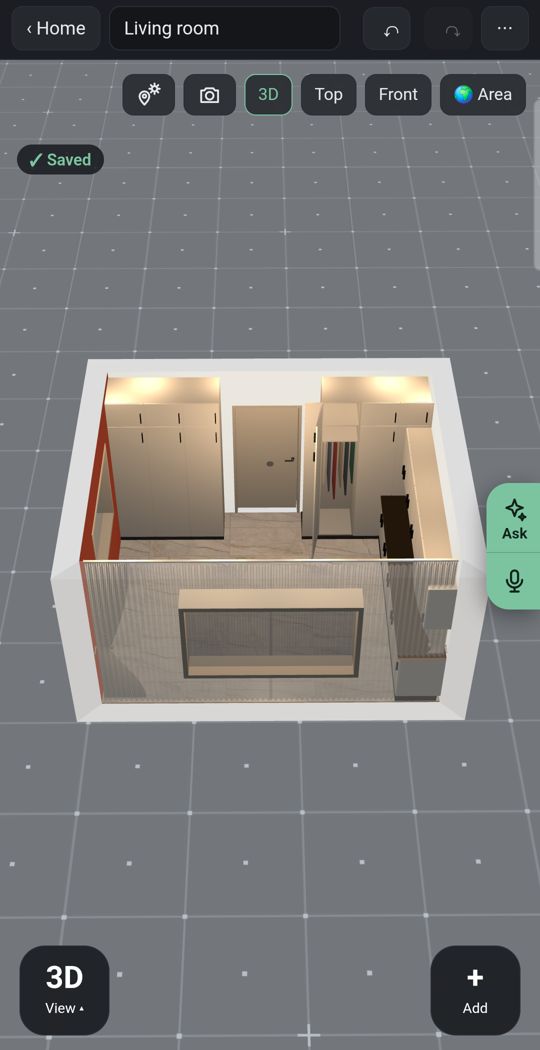
Lights
Add ceiling lights, lamps and LED strips and see where you need them after the sun goes down.
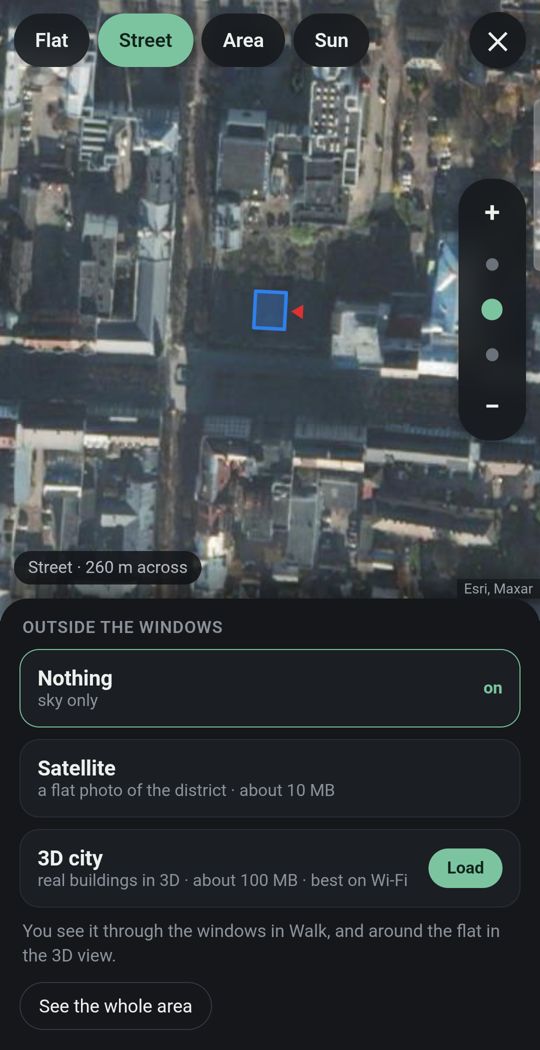
Your flat in its city
Enter your address and the street and buildings around you appear in 3D, wherever the map has them.
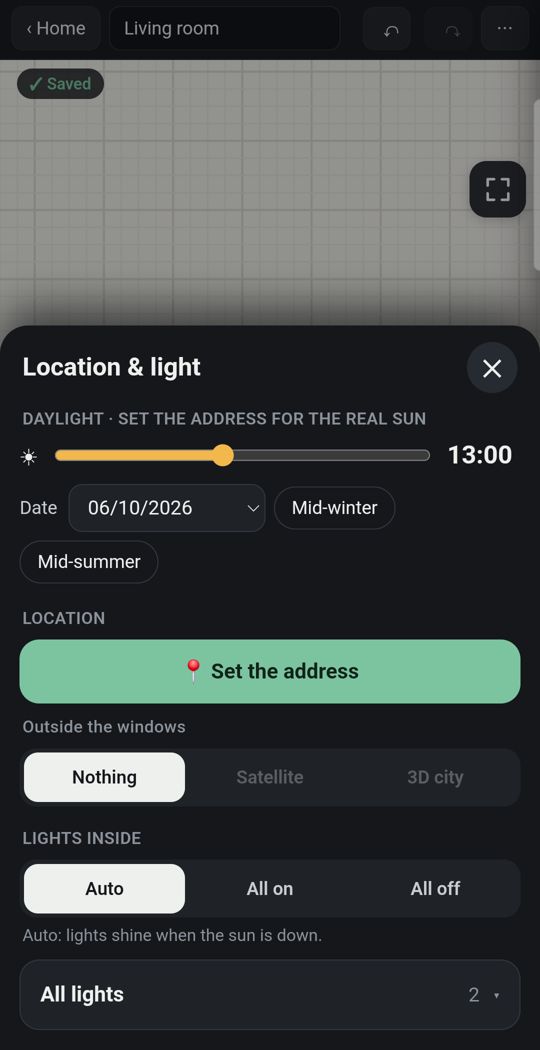
Sun for your address
Real sunlight by date and hour, and how long each room gets direct sun.
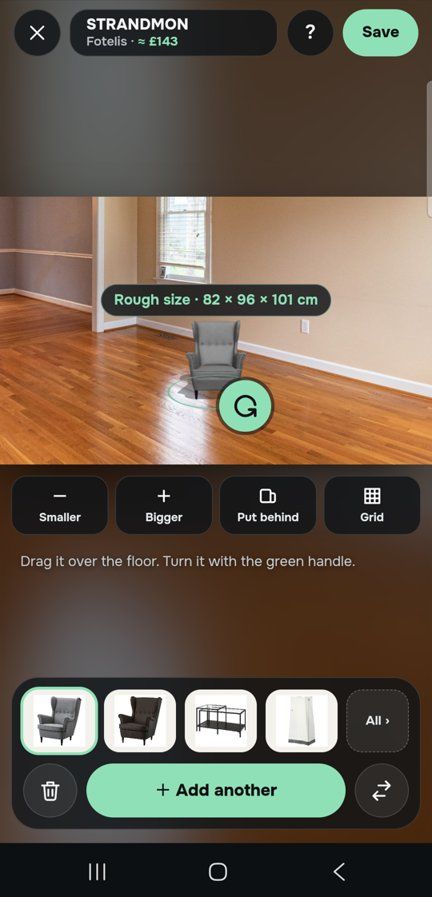
One piece, in your own room
Through the live camera or in a photo of the room, stand a sofa on your own floor at its true size.
Detail
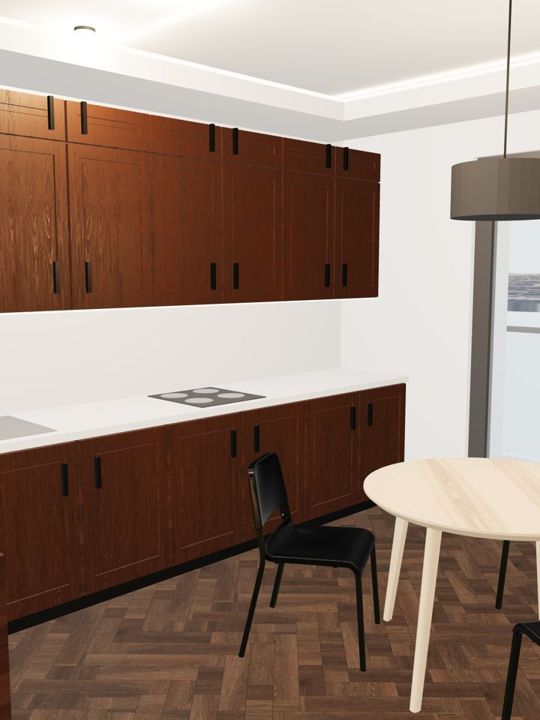
Window and door types, kitchens, wardrobes and bathrooms built piece by piece.
Made for a thumb
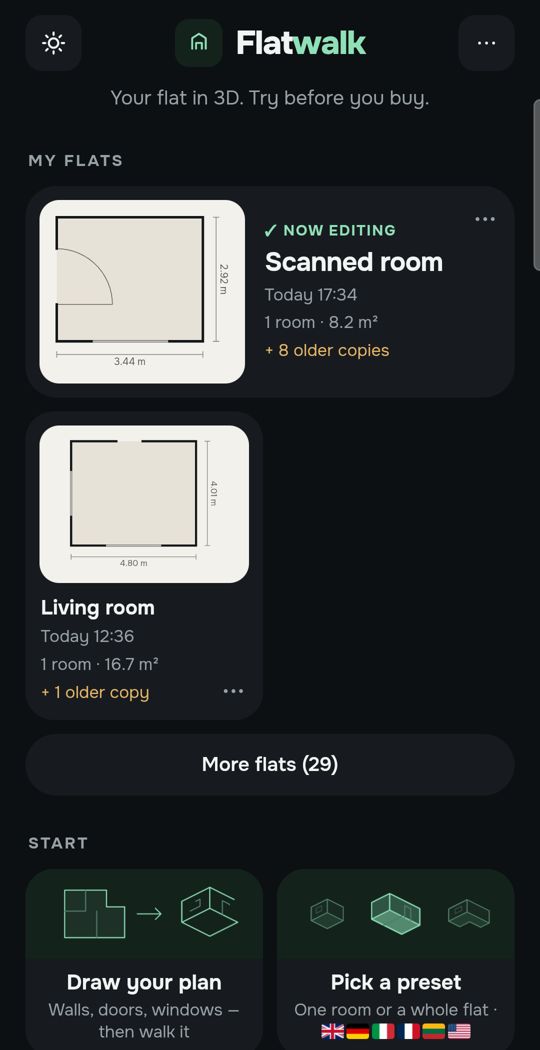
Slide the hour with one finger and watch the light move through the rooms.
Swipe for more. Every picture is the app itself.
One flat, free
Most people plan one home. For that, Flatwalk costs nothing: no time-limited trial and no card needed. Drawing the flat, the sun for its address, lights, furniture and walking through it are all part of it, and each AI tool comes with one free try. A membership is for people who want more flats or more AI.
Questions people ask
Is the Sun Seeker app free? No. On 22 October 2026 it cost 11.99 USD on the US App Store and 8.99 USD on Google Play in the US. Prices differ by country.
What is the best sun direction app? It depends on the job. Sun Seeker is an all-rounder with an AR view and map; Sun Surveyor adds the moon, Milky Way and Street View for photographers; Sun Locator has a free version with ads. For the hours of sun at a window you cannot stand at, use a tool that works from the address.
Is there a free sun tracker app? Sun Locator's basic version is free on Android, with ads and in-app purchases. Flatwalk's sun tool is free in any phone or computer browser, with nothing to install.
Can I check the sun at a house or flat without visiting? Yes. Type the address into Flatwalk's sun tool, pick the building, the floor and the window, and it shows the hours of direct sun by day and by month, with what blocks it.
How accurate are AR sun apps? The sun's position comes from astronomy and is very precise; the weak point is the phone's compass, which metal and electronics nearby can throw off. Calibrate it and stand away from radiators and steel frames.
Flatwalk puts the real sun for your address into a 3D plan of your flat, by date and hour, free for one flat. It is coming soon to Google Play; join the waiting list at flatwalk.app.
Join the waiting list